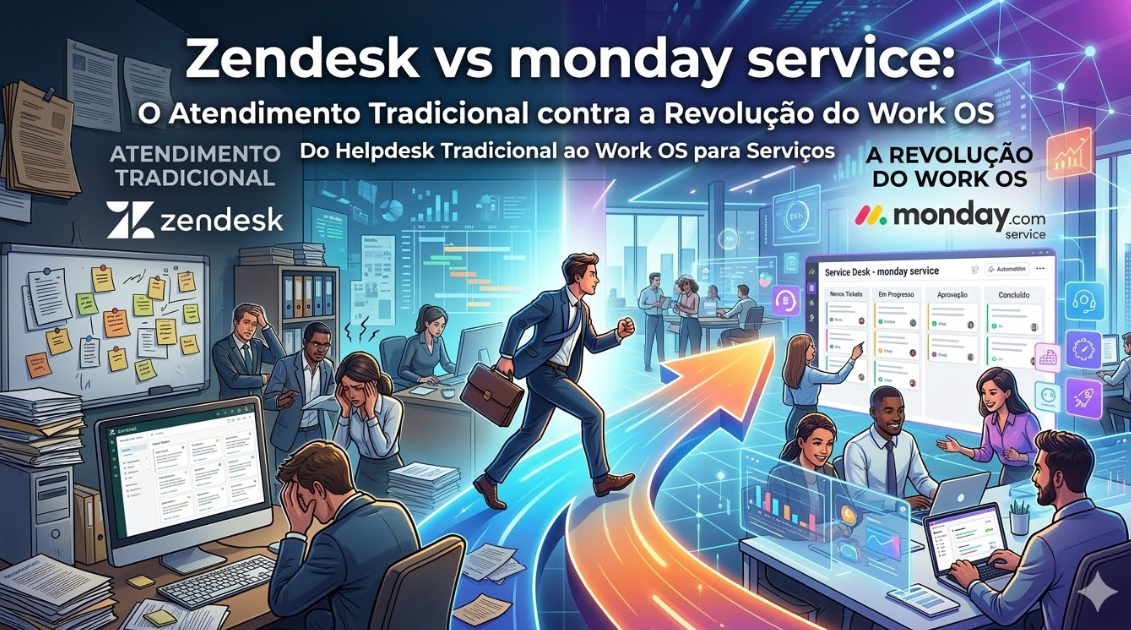
Customer support and project management are traditionally separate functions. Zendesk handles support tickets. monday.com handles projects.
But what if your company needs both? What if your support team also needs to manage projects? Should you use two tools or consolidate?
This article compares these platforms and helps you understand the trade-offs.
Understanding Each Platform
Zendesk: The Customer Support System
Zendesk is purpose-built for customer support. It manages tickets, tracks customer interactions, and helps support teams resolve issues efficiently.
monday.com: The Flexible Work OS
monday.com is a flexible work operating system. It was designed for project management, but can be adapted for nearly any workflow—including support ticket management.
The Real Comparison
The question isn’t just “which is better?” It’s “which is better for what?”
For Customer Support
Zendesk:
– Purpose-built for support
– Ticket management optimized for support workflows
– Automation specifically for support (auto-routing, auto-response)
– Knowledge base for customer self-service
– Advanced reporting for support metrics (resolution time, CSAT, etc.)
– Integration with communication channels (email, chat, phone)
– Omnichannel support (customers can interact via multiple channels)
monday.com:
– Flexible but not specialized for support
– Can be configured for ticket-like workflows
– Basic automation available
– Not optimized for support metrics
– Limited omnichannel capabilities
– Can work, but requires configuration
Verdict for Support: Zendesk. It’s designed specifically for this.
For Project Management
Zendesk:
– Minimal project management features
– Can’t really handle project workflows
– Not designed for this
monday.com:
– Powerful project management
– Multiple views, automation, time tracking
– Designed for project workflows
– Far superior to Zendesk for projects
Verdict for Projects: monday.com. No comparison.
When Support and Projects Overlap
Here’s where it gets interesting. Some organizations need both:
1. **Professional services companies** – Deliver support AND projects
2. **Software companies with managed services** – Support tickets that turn into projects
3. **Agencies** – Client support AND project delivery
In these cases, you need to decide:
Option 1: Use Both Zendesk and monday.com
Advantages:
– Each tool is optimized for its purpose
– Zendesk handles support excellently
– monday.com handles projects excellently
– Can integrate them (Zendesk ticket → monday.com project)
Disadvantages:
– Two tools to manage
– Cost of both platforms
– Need to integrate between them
Option 2: Use only monday.com
Advantages:
– One tool for everything
– Can configure boards for tickets and projects
– Single source of truth
– Potentially lower cost
Disadvantages:
– Support features aren’t as advanced as Zendesk
– Omnichannel support isn’t as robust
– Metrics and reporting aren’t support-focused
– Less optimized for support-specific workflows
Option 3: Use only Zendesk
Advantages:
– Excellent customer support capabilities
– Omnichannel support
– Advanced support-specific features
Disadvantages:
– Poor project management
– Can’t handle non-support project work
– Not flexible enough for complex workflows
Verdict: For most companies, Option 1 (both) is best if you need both capabilities. Otherwise, choose the tool that matches your primary need.
Feature Comparison: Support Focus
Ticket Management
Zendesk:
– Built for tickets
– Customizable ticket fields
– Priority and urgency levels
– Status tracking optimized for support
monday.com:
– Can create ticket-like items
– Not optimized for support tickets
– Requires configuration to feel natural
Verdict: Zendesk
Multi-Channel Support
Zendesk:
– Email, chat, phone, social media
– Unified inbox
– Customers can communicate via preferred channel
– Brand new standard for omnichannel support
monday.com:
– Limited to comments and integrations
– Can’t truly handle omnichannel
Verdict: Zendesk. Significantly better.
Knowledge Base
Zendesk:
– Built-in knowledge base
– Self-service for customers
– Reduces support ticket volume
monday.com:
– No native knowledge base
– Would need to use external tool
Verdict: Zendesk
Support Metrics and Reporting
Zendesk:
– Built-in support dashboards
– CSAT scores, resolution time, response time
– SLA tracking
– Agent productivity metrics
monday.com:
– General project dashboards
– Can approximate some metrics but not support-specific
Verdict: Zendesk
Feature Comparison: Project Management
monday.com Advantages:
– Multiple project views
– Powerful automation
– Time tracking
– Resource management
– Superior to Zendesk for projects
Zendesk Disadvantages:
– Not designed for projects
– Limited project views
– No project automation
Verdict: monday.com
Integration Strategy: Using Both
If you use both Zendesk and monday.com:
Workflow
1. Support ticket comes in via Zendesk
2. Support team determines: Is this a quick fix or a project?
3. If quick fix: Resolve in Zendesk
4. If project: Create a task in monday.com and link it in the Zendesk ticket
5. Implementation team works on it in monday.com
6. When complete, update the Zendesk ticket
Integration Points
– When a Zendesk ticket is marked for project work, automatically create a monday.com task
– When a monday.com project is completed, update the related Zendesk ticket
– Share relevant information between systems (customer info, status updates)
Tools to Connect Them
– Zapier
– Native APIs
– Custom webhooks
– n8n for advanced automation
Pricing Comparison
**Support Team (10 people) + Project Team (5 people)**
Zendesk Only (not viable for projects)
– Zendesk Team: $29/month per user = $290/month minimum
monday.com Only (not optimal for support)
– monday.com Standard: $10/month per user = $150/month
Both Together (recommended for hybrid needs)
– Zendesk Team: $290/month
– monday.com Standard: $150/month
– Total: $440/month
You’re paying for two tools, but each does its job excellently.
Real-World Example: Managed Services Company
Situation
A 20-person managed services company was using Zendesk for support tickets and monday.com for client projects. Initially, they were frustrated that these systems didn’t integrate well.
Solution
They implemented integrations:
1. When a support ticket requires ongoing work, it automatically creates a monday.com task
2. When monday.com projects complete, the Zendesk ticket is updated
3. Both teams see a unified customer view
Results
– Support team efficiently managed tickets
– Project team tracked ongoing work
– No duplication of information
– Clear handoff between support and project delivery
– Customer satisfaction increased
When to Choose Each
Choose Zendesk if:
– Your primary focus is customer support
– You need omnichannel support
– Customer satisfaction metrics are critical
– You can ignore project management needs
Choose monday.com if:
– Your primary focus is project management
– You can accept basic support capabilities
– You want flexibility and don’t need support-specific features
– Cost is a key factor
Choose Both if:
– You have both support and project management needs
– You need specialized tools for each function
– Budget allows for two platforms
– Your integration can connect them well
Audatia’s Recommendation
For organizations with hybrid support + project management needs, we recommend: **Zendesk for support + monday.com for projects + integration between them.**
This gives you:
– Specialist support tool (Zendesk)
– Flexible project tool (monday.com)
– Seamless connection between them
– Optimal user experience for both teams
Next Steps
1. **Assess your needs**: How much support vs. project management?
2. **Try both free plans**: See how each feels for your workflows
3. **Calculate cost**: Determine the right tool combination for your budget
4. **Plan integration**: If using both, design the integration points
5. **Implement**: Start with the tool you need most, add the second if necessary
The key insight: Don’t force one tool to do two jobs. Use the right tool for each job, then connect them.