In today’s corporate environment, the distance between a brilliant idea and its practical execution is often the biggest bottleneck in operations. Many teams spend hours in digital drawing tools that, while aesthetically pleasant, operate as isolated information islands. The result is “creative rework”: what was decided on the whiteboard needs to be manually transcribed to the task manager.
ClickUp Whiteboards emerges to resolve this fragmentation. More than a drawing canvas, it is a native visual thinking layer, directly connected to the platform’s productivity ecosystem. At Audatia, we understand that visual collaboration only generates real value when anchored in clear processes and structured workflows.
What is ClickUp Whiteboards and Why is it Strategic?
Unlike static diagramming tools, ClickUp’s Whiteboard is a dynamic visualization. It allows product, marketing, and operations teams to map workflows, conduct brainstorming sessions, and design system architectures without leaving the project context.
For companies seeking operational maturity, the use of digital whiteboards is not just about aesthetics—it’s about creating a bridge between thinking and execution. The whiteboard becomes a dynamic living document, always synchronized with your project reality.
Key Features of ClickUp Whiteboards
- Infinite Canvas: Space without limits for complex diagrams and flowcharts
- Native Shapes and Connectors: Pre-built elements for quick sketching
- Embed Tasks and Docs: Link whiteboards directly to ClickUp tasks, creating bidirectional context
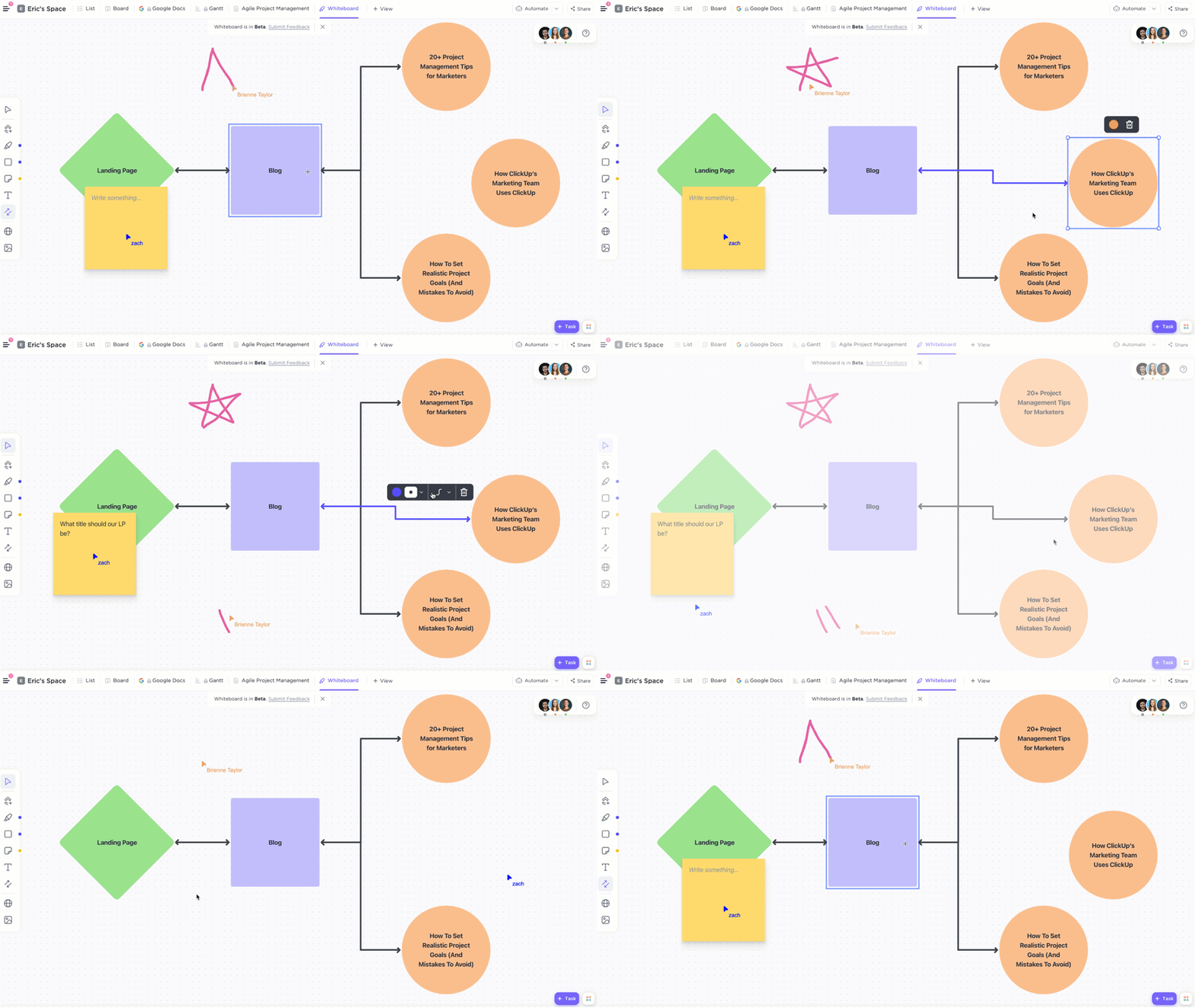
- Real-Time Collaboration: Multiple users can edit simultaneously with cursor tracking
- Export and Share: Generate images, PDFs, or share publicly with stakeholders
Practical Use Cases
1. Product Roadmap Planning
Use whiteboards to visualize feature dependencies, release timelines, and strategic initiatives, all connected to sprint management.
2. Process Mapping
Document business processes, identify bottlenecks, and create SOPs directly within your project management system.
3. System Architecture
Design technical architectures, API flows, and database schemas in a collaborative environment.
4. Marketing Campaign Strategy
Map customer journeys, channel strategies, and content calendars with full visibility into execution tasks.
Integrating Whiteboards with Your Workflow
The real power emerges when you connect your whiteboard to ClickUp’s ecosystem:
- Create tasks directly from whiteboard elements
- Link whiteboards to project documents and knowledge bases
- Use whiteboards as brainstorming attachments to tasks
- Build automation workflows triggered by whiteboard updates
Audatia’s Recommendation
ClickUp Whiteboards are a game-changer for teams that value both creative thinking and operational discipline. Whether you’re designing a new product, documenting processes, or planning strategies, this feature eliminates the friction between ideation and execution.
If you’re using ClickUp and haven’t explored Whiteboards yet, we recommend starting with process mapping—it’s the fastest path to seeing immediate operational value. And if you’re still evaluating project management platforms, ClickUp’s native whiteboarding capability is another reason it stands out in the market.
Need help implementing whiteboards in your workflow? Contact Audatia for consulting and training.