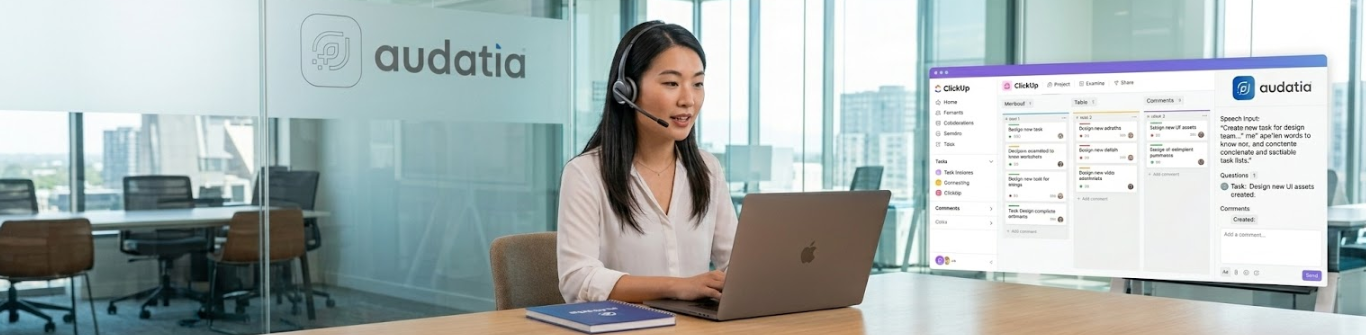
Modern work demands agility. The fastest teams don’t wait to sit down at a desk to capture what needs to happen next—they dictate as they work. ClickUp Talk to Text embodies this principle: capture work in your own voice, in your own workflow.
Talk to Text isn’t just speech-to-text transcription. It’s a voice-powered interface to your entire project management system. Create tasks, add details, assign work, and update status—all by speaking. For field teams, multitasking professionals, and organizations chasing operational velocity, this is transformative.
At Audatia, we see Talk to Text as a critical accessibility and productivity feature for the modern workplace.

The Friction of Manual Data Entry
Context Loss When Switching
A field technician finishes a job. Rather than immediately documenting the work, they must wait until they have a keyboard and screen available. By then, details are fuzzy, and important observations are lost.
Keyboard-Dependent Workflows
Not all work happens at a desk. Yet most project management tools assume a keyboard-centric interface. This creates friction for mobile workers, manufacturing teams, and field personnel.
Accessibility Barriers
For team members with mobility or visual impairments, traditional text-based interfaces create barriers. Voice interfaces level this playing field.

What Talk to Text Enables
1. Hands-Free Task Creation
While working, speak to create a task: “ClickUp, create task: Fix the HVAC unit in building C, assign to John, due tomorrow.” The task is created, assigned, and tracked—all without stopping work.
2. Voice-Powered Updates
Udate task status, add comments, and capture completion notes—all by voice. This is particularly powerful for teams that move between locations or are working with their hands.
3. Contextual Work Capture
Instead of relying on memory to document work hours later, Talk to Text captures context in the moment: what was done, unexpected issues, decisions made, and next steps.
4. Accessibility First
Voice interfaces are natural and accessible. Team members with dyslexia, motor impairments, or other conditions that make traditional typing difficult can fully participate in collaborative work.
Real-World Implementation Scenarios
Field Service Operations
A plumbing company dispatches technicians to customer locations. Instead of manually writing tickets after hours, technicians use Talk to Text to document each job as completed: “Job done, customer satisfied, next visit needed in 6 months, parts used: X and Y, time spent: 2 hours.” This information immediately syncs to the office system.
Manufacturing and Logistics
Warehouse workers moving inventory can use Talk to Text to confirm shipment completion, flag damaged items, or report stock discrepancies without stopping to type.
Sales Team Engagement
Sales reps in client meetings can dictate next steps and follow-ups in real time without pulling out a laptop. This keeps attention focused on the client.
Medical and Healthcare Teams
Healthcare providers can dictate patient notes, update care plans, and communicate with team members using voice, maintaining HIPAA compliance while improving efficiency.
Advanced Voice Commands
Talk to Text supports complex commands:
– “Create task: Q3 marketing campaign, add to Project X, set priority to high, due March 31”
– “Update task 4521 status to in-progress and add comment: waiting on client feedback”
– “List all overdue tasks assigned to me”
– “Add 2 hours to task 3892 as time logged”
Privacy and Security Considerations
Audatia emphasizes responsible AI and voice data handling:
- Local Processing: Where possible, voice data is processed locally on the device, not sent to external servers.
- Encryption: All voice transmissions are encrypted end-to-end.
- Data Retention: Voice recordings are deleted after transcription unless explicitly saved.
- Consent and Transparency: Users know when they’re being recorded and have control over that data.
Comparing Talk to Text to Traditional Voice Assistants
Generic voice assistants (Alexa, Google Assistant) are general-purpose. Talk to Text is ClickUp-native, meaning it understands your workspace, team members, projects, and tasks. This context-awareness makes commands far more powerful and accurate.
Adoption and Change Management
Voice interfaces represent a significant shift for teams accustomed to keyboard-based workflows. Successful adoption requires:
- Training on Optimal Voice Commands: Teams need to learn the commands that work best for their workflows.
- Confidence Building: Start with simple commands, build confidence, then progress to complex workflows.
- Feedback Loops: Monitor what works and what doesn’t. Refine commands based on real usage patterns.
Measuring Impact
Organizations using Talk to Text typically report:
– 20-30% reduction in time spent on administrative task entry
– Improved data capture accuracy (notes taken in the moment vs. reconstructed later)
– Increased job satisfaction among field and mobile teams
– Better accessibility compliance
Strategic Principle: The best tool is the one that fits naturally into how work actually happens, not one that requires work to fit the tool.
Implementation with Audatia
Audatia helps field-intensive and distributed teams implement Talk to Text effectively. We handle setup, training, workflow optimization, and integration with your operations.
If your team is mobile, distributed, or includes individuals for whom traditional text interfaces create barriers, Talk to Text is a transformative addition to your ClickUp workspace. Let’s discuss your specific use cases.