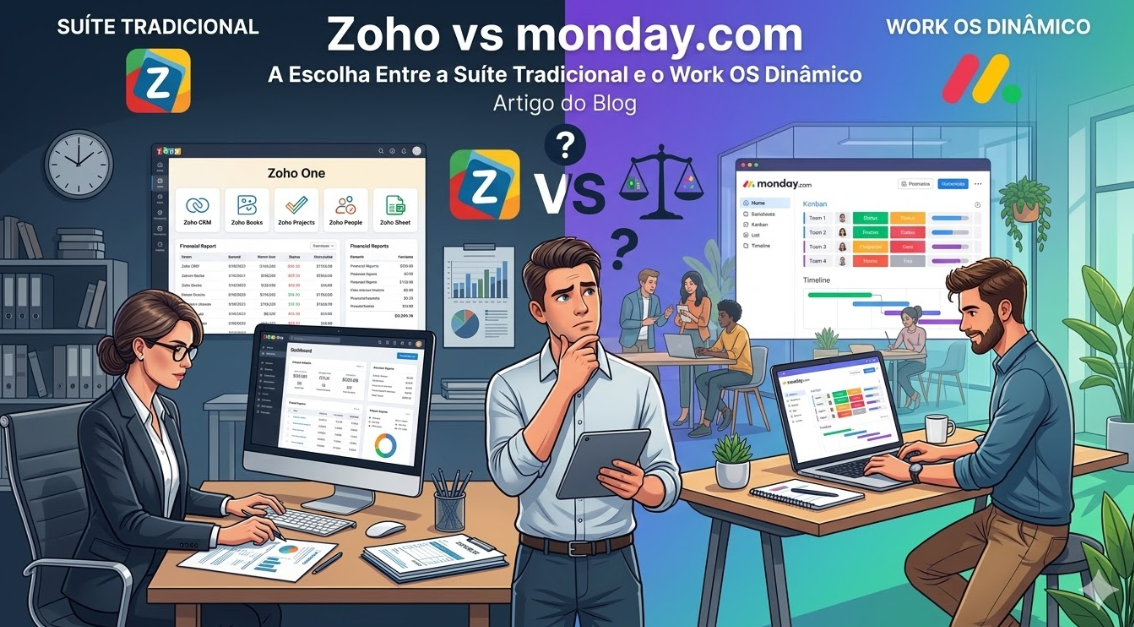
In the maturation process of a company, the transition from manually managed processes to a structured digital ecosystem is the moment when many operations fail. When management decides to implement a project management and process system, the debate monday vs Zoho (focusing on Zoho Projects and the Zoho One ecosystem) emerges as one of the most common crossroads. The decision made here doesn’t just affect the IT bill at the end of the month; it defines the agility, collaboration culture, and data architecture of your organization for years to come.\r\n\r\nOn one hand, Zoho presents the classic corporate suite model: a vast catalog of dozens of independent applications, built to cover all functions of a company through a highly traditional and compartmentalized approach. On the other hand, monday.com stands out as the modern paradigm of the Work Operating System (Work OS), a modular, visual, and flexible platform that proposes a revolution in how companies orchestrate their operations.\r\n\r\nAt Audatia, we’ve implemented both solutions in enterprises ranging from 50 to 5,000 people. What we’ve learned is crucial: the choice between Zoho and monday.com is not primarily about features—both platforms have impressive feature sets. It’s about architectural philosophy and how that philosophy aligns with your organization’s trajectory.\r\n\r\n \r\n\r\n \r\n
The DNA of Each Platform: Understanding the Genesis
\r\n
Zoho: The Suite That Grew Too Fast
\r\nZoho was born from a fundamentally different philosophy. In the late 1990s, when Zoho began, the market demanded comprehensive solutions. Companies wanted everything from a single vendor. This philosophy led Zoho to build dozens of independent applications—Zoho CRM, Zoho Projects, Zoho Books, Zoho People, and so on—each optimized for its specific domain but loosely connected to the others.\r\n\r\nThis architecture makes sense if you’re building a diverse product portfolio. But from a user perspective, it creates a fragmented experience. You’re not using “Zoho” (singular); you’re using Zoho CRM for sales, Zoho Projects for execution, Zoho Books for accounting, and Zoho People for HR. Each of these requires separate training, has its own interface logic, and maintains its own data model.\r\n
monday.com: Born Cloud-Native and Modular
\r\nmonday.com was born in the 2010s, in an era when cloud applications had already proven the value of single-purpose, deeply integrated platforms. Rather than trying to be “all things to all people,” monday.com positioned itself as the central orchestration layer of your business. It doesn’t have “its own” CRM or “its own” accounting system. Instead, it connects to the best CRM for your needs, the best accounting system, and the best specialized tools in any domain.\r\n\r\nThis represents a fundamental shift in how enterprise software is organized.\r\n
The User Experience: A Journey Through Interfaces
\r\n
Zoho’s Experience: Learning Multiple Interfaces
\r\nWhen you open Zoho Projects, your team sees an interface optimized for project management. Switch to Zoho CRM, and the interface logic changes. Move to Zoho People for HR operations, and you’re learning yet another interface paradigm. This isn’t necessarily a flaw—each interface is well-designed—but it creates training friction.\r\n\r\nUsers in organizations with multiple Zoho products often feel they’re learning multiple applications, not one unified platform.\r\n
monday.com’s Experience: One Interface Philosophy
\r\nmonday.com was designed with a single interface philosophy. Whether you’re managing a sales pipeline, a project timeline, or an HR process, the underlying logic is consistent. The visual board paradigm, the automation layer, and the data relationships remain constant. This consistency dramatically reduces training time and creates a more intuitive experience.\r\n
Data Architecture: The Hidden Foundation
\r\n
Zoho: Silos Within a Suite
\r\nZoho’s biggest architectural challenge is that while all applications are “from Zoho,” they were designed as independent systems. Sales data in Zoho CRM doesn’t automatically flow to project information in Zoho Projects. To achieve this, you need middleware or custom code. The suite appearance hides underlying data compartmentalization.\r\n
monday.com: Native Connectivity
\r\nmonday.com was designed with the assumption that all your operational data should be deeply interconnected. A customer record automatically connects to all projects, all support tickets, and all related information across your operation. The platform’s data architecture enables this without configuration.\r\n
Customization vs Adaptation: A Philosophical Divide
\r\n
Zoho’s Approach: Customize to Your Process
\r\nZoho provides extensive customization capabilities. You can add custom fields, create custom workflows, and extend functionality. This sounds powerful until you realize that what you’re doing is making Zoho Projects fit your process. If your process changes, you’re back in the customization cycle.\r\n
monday.com’s Approach: Adapt Your Platform to Your Process
\r\nmonday.com takes a different approach. Rather than deep customization of a predefined structure, it allows you to build your operational structure from principles. Workflows are templates that you modify and adapt. This is more flexible because it doesn’t assume your processes fit a predefined shape.\r\n
Integration Ecosystem: How Each Platform Connects to Your Other Tools
\r\n
Zoho: The Closed Ecosystem Challenge
\r\nZoho wants you to use Zoho for everything. If you already use HubSpot for CRM, Asana for projects, or other specialized tools, integrating them with Zoho is possible but not native. You’ll need middleware tools like Zapier or professional services to bridge the gap.\r\n
monday.com: Built for Ecosystem Integration
\r\nmonday.com was designed with the premise that your organization will use best-of-breed tools. It integrates natively with hundreds of applications and, through automation tools like n8n and Zapier, can connect to virtually any tool in the market. This isn’t an afterthought; it’s architectural.\r\n
Scalability: How Costs Evolve as You Grow
\r\n
Zoho: Linear Cost Growth
\r\nAs your organization grows, Zoho’s costs grow linearly or faster. More users, more products needed, more customization required. The architecture doesn’t become more efficient with scale.\r\n
monday.com: Efficiency Gains with Scale
\r\nWith monday.com, as your organization grows and the platform matures, you typically need less custom development. The ecosystem handles incremental needs, and automation rules become more sophisticated but don’t require code.\r\n
Implementation Timeline and Support
\r\n
Zoho Implementations
\r\nTypical duration: 4-6 months for a mid-sized organization\r\nPrimary challenge: Training people on multiple interfaces and workflows\r\nSupport model: Strong documentation but requires deep Zoho expertise\r\n
monday.com Implementations
\r\nTypical duration: 3-4 months for a mid-sized organization\r\nPrimary challenge: Careful process design to leverage modularity effectively\r\nSupport model: Extensive integrations community and strong partner ecosystem\r\n
Who Should Choose Each Platform?
\r\n
Choose Zoho If:
\r\n- You want all your tools from a single vendor and prefer avoiding third-party integrations.\r\n- Your organization has stable processes that don’t change frequently.\r\n- You need deep specialization in a specific area (like advanced CRM capabilities) and are willing to manage multiple interfaces.\r\n- You prefer dealing with a single vendor for support and compliance.\r\n- Your IT team has Zoho expertise and you want to leverage that knowledge.\r\n
Choose monday.com If:
\r\n- You already use best-of-breed tools in different areas and want a central orchestration platform.\r\n- Your processes are evolving and you need flexibility to change them.\r\n- You value visual collaboration and transparency across teams.\r\n- You plan significant growth and want a platform that scales efficiently.\r\n- You want to implement automation and AI agents across your operation.\r\n
Final Verdict: The Architectural Choice
\r\nZoho and monday.com represent two fundamentally different philosophies about how enterprise software should be organized.\r\n\r\nZoho says: “We’ll build everything you need, and we’ll do it all under one roof.”\r\nmonday.com says: “We’ll be the orchestration layer, and you’ll use the best tools for each specific need.”\r\n\r\nFor organizations that are stable and want simplicity, Zoho can provide immediate value. For organizations that are growing, changing, and want flexibility, monday.com represents the architectural future of enterprise software.\r\n\r\nAt Audatia, we consistently recommend monday.com for organizations planning growth beyond 200 people or with complex operational needs. For smaller, more stable organizations, Zoho can deliver good value. But understand that architectural changes, when necessary, are expensive and disruptive. Choose the architecture that aligns with your organization’s trajectory, not just its current state.