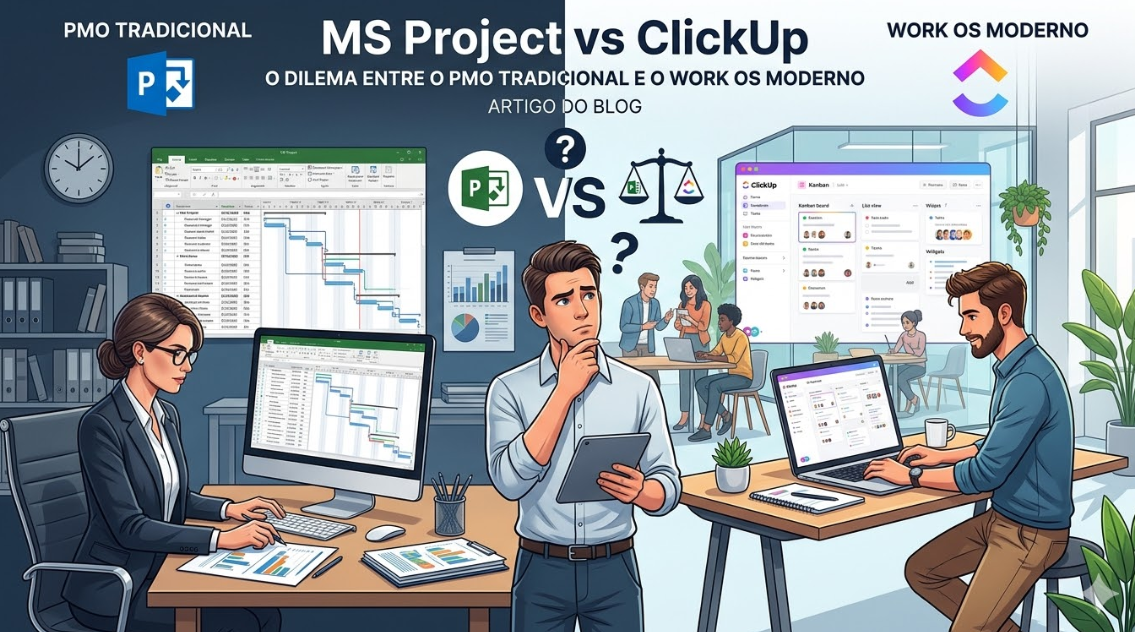
MS Project is the traditional enterprise project management standard. ClickUp is the modern alternative that’s reshaping how organizations manage work.
If you’re deciding between these two, you’re really deciding: Do we want a traditional PMO approach, or a modern, flexible work operating system?
This article will help you make that choice.
The Fundamental Difference
MS Project: Traditional PMO Approach
MS Project is built on the principle of detailed upfront planning. Define your project scope, build a detailed schedule, allocate resources, and execute. Changes to the plan are tracked and managed formally.
This is the approach enterprise PMOs have used for 30+ years.
ClickUp: Modern Work OS Approach
ClickUp is built on the principle of flexible execution with continuous optimization. Start with a framework, execute work, adapt as you learn, automate repetitive tasks.
This is the approach modern, agile organizations are adopting.
The Core Philosophical Differences
Planning
MS Project:
– Detailed upfront planning is essential
– Extensive task breakdown (WBS)
– Dependencies and critical path calculated upfront
– Changes managed through formal change control
ClickUp:
– Start with high-level plan
– Break down as you execute
– Adapt the plan as you learn
– Changes are natural and expected
Execution
MS Project:
– Execute according to plan
– Track variance from baseline
– Report on schedule and budget performance
ClickUp:
– Execute and learn
– Adjust the plan continuously
– Optimize as you go
Communication
MS Project:
– Formal status reports
– Dashboards for executive visibility
– Controlled information flow
ClickUp:
– Real-time, continuous communication
– Integrated chat and comments
– Transparent, distributed information
Head-to-Head Feature Comparison
Gantt Charts and Scheduling
MS Project:
– Industry-standard Gantt charts
– Advanced critical path analysis
– Resource-constrained scheduling
– Leveling algorithms
– Mature and comprehensive
ClickUp:
– Timeline/Gantt view
– Good for most projects
– Basic dependency tracking
– Simpler than MS Project
– Adequate for modern projects
Verdict: MS Project for complex, large-scale scheduling. ClickUp for typical projects.
Resource Management
MS Project:
– Detailed resource planning
– Capacity planning by resource type
– Resource leveling
– Cost allocation
– Complex resource management
ClickUp:
– Workload view
– Simple resource allocation
– Good visibility into who’s doing what
– Adequate for most teams
Verdict: MS Project for complex resource scenarios. ClickUp for typical resource management.
Automation
MS Project:
– Basic automation
– Limited workflow automation
– Dependent on Microsoft ecosystem
ClickUp:
– Powerful automation engine
– Complex, multi-step workflows
– Conditional logic
– Native automation
Verdict: ClickUp. Far superior automation.
Customization and Flexibility
MS Project:
– Limited customization
– Rigid structure
– You conform to MS Project’s model
– Powerful but inflexible
ClickUp:
– Extreme customization
– Multiple view options
– The system adapts to your workflow
– Built for flexibility
Verdict: ClickUp. Dramatically more flexible.
Collaboration and Communication
MS Project:
– Traditional project management communication
– Integration with Microsoft Teams
– Formal status updates
ClickUp:
– Built-in real-time chat
– Comments and discussions on tasks
– Integration with Slack
– Modern, distributed collaboration
Verdict: ClickUp. Better for distributed, modern teams.
User Experience
MS Project:
– Complex interface
– Steep learning curve
– Requires training and expertise
– Professional but challenging
ClickUp:
– Modern, intuitive interface
– Quick learning curve
– Enjoyable to use
– Minimal training required
Verdict: ClickUp. Significantly better UX.
Cost
MS Project (per user per month):
– Starts at ~$10 for basic features
– Enterprise often $20+ per user
ClickUp (per user per month):
– Unlimited: $7 per user (billed annually)
– Business: $12 per user
– More affordable, especially at scale
Verdict: ClickUp. Better value.
When to Choose MS Project
Choose MS Project if:
– Your organization has a mature PMO
– You manage large, complex projects with extensive interdependencies
– Your projects require formal change control and baseline management
– You need to prove compliance with project management standards (PMP, PMI, PRINCE2)
– Your organization is traditional and hierarchical
– You’re managing construction, engineering, or large infrastructure projects
– You have significant existing MS Project investment
Example: A government agency managing large infrastructure projects with formal PMO governance and change control would benefit from MS Project’s structure.
When to Choose ClickUp
Choose ClickUp if:
– Your organization is modern and agile
– Your projects are typical in scope and complexity
– You value flexibility and rapid iteration
– Your team is distributed
– Collaboration and real-time communication matter
– You need automation across the organization
– You want modern, continuous updates
– Cost is a consideration
– You don’t have a traditional PMO structure
Example: A 50-person SaaS company managing product development, customer success, and marketing would thrive on ClickUp.
Real-World Comparison: Two Companies, Two Approaches
Company A: Traditional Enterprise (MS Project)
– 200-person company with formal PMO
– Manages 20+ concurrent projects
– Projects average 500+ tasks each
– Complex resource allocation (people, equipment, budget)
– Formal governance and change control
– Executive dashboards essential
MS Project is the right choice. Its advanced scheduling and resource management capabilities are necessary. The formal structure aligns with the organization’s culture.
Company B: Modern Startup (ClickUp)
– 30-person company with no formal PMO
– Manages 10-15 concurrent projects
– Projects average 100-200 tasks each
– Resource allocation is straightforward
– Agile/iterative methodology
– Real-time collaboration essential
ClickUp is the right choice. Its flexibility, UX, and automation capabilities fit the company’s culture. The startup would waste resources on MS Project’s advanced features.
The Transition Decision
If you’re on MS Project but considering ClickUp:
Questions to Ask
1. **Are you actually using MS Project’s advanced features?**
– If you’re not using critical path analysis, resource leveling, or formal change control, you probably don’t need MS Project.
2. **Is your organization still structured hierarchically?**
– If you’ve moved to agile/hybrid, ClickUp might serve you better.
3. **Do your teams struggle with adoption?**
– If MS Project feels like a burden rather than a tool, ClickUp’s better UX will improve adoption.
4. **Are you paying more than you should?**
– ClickUp costs significantly less, especially for larger teams.
Migration Strategy
If you decide to migrate:
1. **Start with a pilot team** for one project on ClickUp
2. **Keep MS Project running** for your most complex projects
3. **Gradually transition** additional teams
4. **Maintain both tools** in parallel during transition (2-4 weeks)
5. **Deprecate MS Project** once full transition is complete
Hybrid Approach: Using Both
Some organizations benefit from both:
– **MS Project:** Complex strategic initiatives requiring formal PMO discipline
– **ClickUp:** Operational projects, agile teams, rapid execution
This gives you formal governance where needed and flexibility where desired.
Addressing Common Concerns
“We need MS Project for executive reporting”
ClickUp’s dashboards can provide executive-level visibility. It depends on what executives need to see.
“We have PMP-certified PMOs”
PMO excellence isn’t about the tool—it’s about governance and discipline. ClickUp can support PMP principles.
“Changing tools is risky”
Staying on MS Project when you don’t need it is actually risky. You’re paying for features you don’t use while your team struggles with poor UX.
“MS Project is the standard”
The standard is evolving. Modern organizations are moving to tools designed for 21st-century work.
Audatia’s Recommendation
For organizations evaluating these two:
**MS Project:** Only if you truly have complex projects requiring formal PMO discipline and advanced scheduling.
**ClickUp:** For the vast majority of organizations, especially those that are modern, agile, or distributed.
The trend is clear: organizations are moving away from MS Project toward modern tools like ClickUp.
If you’re deciding between them:
– Ask yourself if you really need MS Project’s complexity
– Try ClickUp’s free plan with one team
– Measure the difference in adoption and cost
– Most likely, ClickUp will win
Next Steps
1. **Honestly assess:** Do you really use MS Project’s advanced features?
2. **Survey your team:** How do they feel about MS Project? Would they prefer something more intuitive?
3. **Calculate true cost:** MS Project cost + training + support + underutilization
4. **Try ClickUp free plan:** See if it handles your typical projects
5. **Make a decision:** Choose the platform that matches your organization’s present and future, not its past
The future of work management is flexible, modern, and collaborative. ClickUp represents that future. MS Project represents the past.
Choose wisely based on your organization’s needs today and your vision for tomorrow.