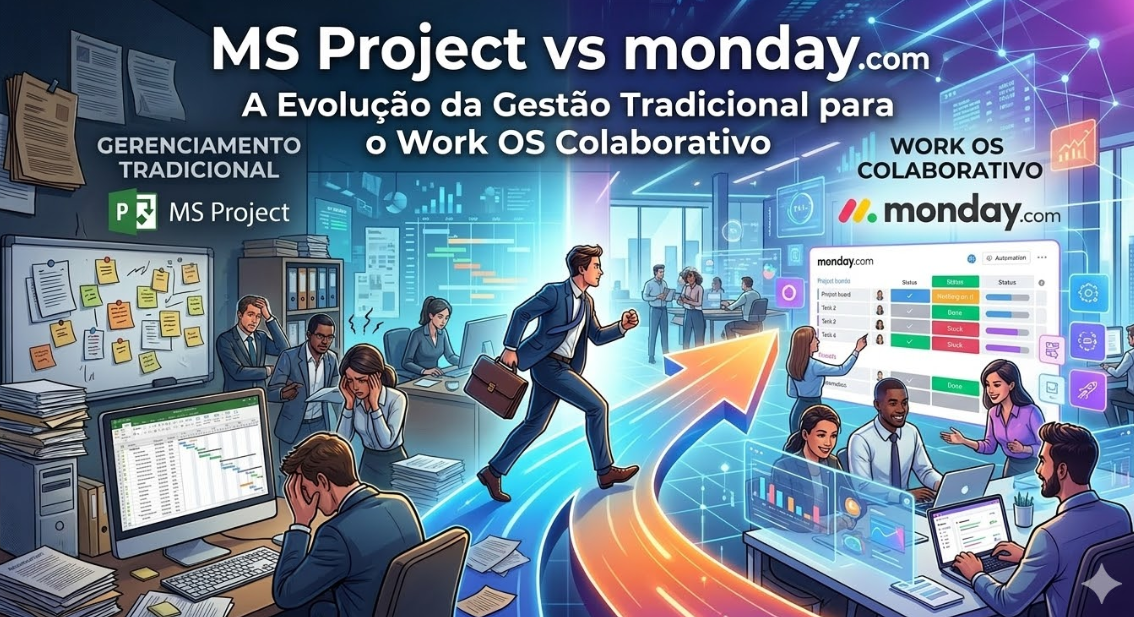
MS Project has been the standard for project management for decades. But the landscape is changing. Modern work OS platforms like monday.com are fundamentally reimagining what project management can be.
This article compares these two and helps you understand which one fits your organization’s future.
Understanding the Evolution
MS Project: The Traditional Standard
MS Project is the enterprise standard for project management. It’s powerful, established, and integrated with Microsoft Office ecosystem. It’s been the default choice for large organizations for 30+ years.
monday.com: The Modern Work OS
monday.com is built for the modern, distributed, collaborative workplace. It’s flexible, intuitive, and designed to adapt to your workflow rather than forcing you into a rigid structure.
Core Philosophy Difference
MS Project Philosophy
“Define your project upfront in detail. Plan meticulously. Then execute according to plan.”
This works when:
– Requirements are clear upfront
– The project is large and complex (100+ tasks)
– Following a waterfall or predictable methodology
– The organization is traditional and hierarchical
monday.com Philosophy
“Start with a framework, iterate continuously, adapt as you learn.”
This works when:
– Requirements evolve
– The team is agile or iterative
– The organization is modern and distributed
– Flexibility is as important as predictability
Feature Comparison
Gantt Charts
MS Project:
– Industry-standard Gantt implementation
– Powerful dependencies and critical path analysis
– Resource leveling
– Mature and comprehensive
monday.com:
– Clean timeline/Gantt view
– Good for most projects
– Simpler than MS Project’s
– Adequate for modern projects
Verdict: MS Project for complex, large-scale projects. monday.com for most other projects.
Resource Management
MS Project:
– Detailed resource allocation
– Capacity planning
– Resource leveling to prevent over-allocation
– Built for complex resource management
monday.com:
– Workload view
– Simple resource allocation
– Good for straightforward resource management
– Simpler than MS Project
Verdict: MS Project for complex resource management. monday.com for typical projects.
Scheduling and Dependencies
MS Project:
– Complex scheduling algorithms
– Multiple dependency types
– Critical path analysis
– Advanced scheduling rules
monday.com:
– Basic dependencies
– Timeline integration
– Good for standard projects
– Simpler than MS Project
Verdict: MS Project for intricate scheduling. monday.com for typical projects.
Collaboration and Communication
MS Project:
– Comments and updates
– Integrated with Microsoft Teams
– Traditional approach to communication
monday.com:
– Built-in chat and comments
– Integrated with Slack
– More modern, real-time collaboration
– Superior for distributed teams
Verdict: monday.com. Modern collaboration built in.
Flexibility and Customization
MS Project:
– Rigid structure
– Limited customization
– You conform to MS Project’s way
– Powerful but inflexible
monday.com:
– Highly customizable
– Multiple view options
– The system adapts to your way
– Flexible and adaptable
Verdict: monday.com. Far more flexible.
Automation
MS Project:
– Basic automation
– Limited workflow automation
– Dependent on Microsoft ecosystem
monday.com:
– Powerful automation engine
– Complex workflows possible
– Native automation
Verdict: monday.com. Much more powerful automation.
User Experience
MS Project:
– Dense interface
– Steep learning curve
– Professional but not intuitive
– Requires training
monday.com:
– Modern, intuitive interface
– Quick to learn
– Enjoyable to use
– Minimal training needed
Verdict: monday.com. Better UX for modern teams.
When to Use MS Project
Choose MS Project if:
– You’re managing massive, complex projects (1000+ tasks)
– You need advanced resource leveling and critical path analysis
– Your organization requires formal project management methodology (PMI, PMP)
– You’re managing construction, engineering, or large infrastructure projects
– Your organization is traditional and requires MS Project expertise
– You need deep integration with Microsoft Office
Example: A large construction company managing a $50M infrastructure project might need MS Project’s advanced scheduling and resource management.
When to Use monday.com
Choose monday.com if:
– You’re a modern, growing organization
– Your projects are typical in size and complexity (under 500 tasks)
– You value flexibility and ease of use
– Your team is distributed
– You want to quickly adopt project management
– Collaboration and communication are important
– You need automation across the organization
– Cost is a consideration
Example: A 50-person software company managing product development, marketing campaigns, and client services would thrive on monday.com.
Real-World Case Study: Fortune 500 Company’s Transformation
Situation
A large pharmaceutical company had been using MS Project for 20 years. Traditional hierarchical organization. PMO-driven culture.
Challenge:
– Long adoption cycle for new tools
– Heavy reliance on critical path analysis
– Very large, complex projects
– But also growing innovation teams that wanted agility
The Transition
They implemented a dual approach:
– MS Project for major strategic initiatives (few per year)
– monday.com for operational projects and innovation teams
Results
– Strategic projects maintained necessary rigor
– Operational teams gained flexibility and speed
– Innovation projects moved faster
– Overall project delivery improved
– Team satisfaction increased (especially in younger teams)
– Cost decreased despite using two tools
Pricing Comparison
**Project Management Team (15 people)**
MS Project (per user per month):
– Basic: ~$10 per user
– Professional: ~$20 per user
– For 15 people: ~$300/month
monday.com (per user per month):
– Standard: $10 per user
– For 15 people: $150/month
Winner: monday.com. About 50% cheaper.
The Migration Question
If you’re considering moving from MS Project to monday.com:
What You’ll Keep
– Project management capability
– Timeline/Gantt visualization
– Resource tracking
– Reporting and dashboards
What You’ll Gain
– Better UX
– Easier collaboration
– More flexibility
– Less cost
– Automation capabilities
– Modern feature updates
What You Might Miss (For Most Teams)
– Advanced critical path analysis (rarely needed)
– Complex resource leveling (rarely used)
– Formal PMO structure (depends on organization)
Migration Path
1. **Start with a pilot team** using monday.com for one project
2. **Keep MS Project running** for strategic projects that need it
3. **Gradually transition teams** as they gain confidence
4. **Deprecate MS Project** once you’re fully on monday.com
Most companies can transition in 2-4 weeks.
Hybrid Approach: Using Both
Many organizations benefit from both:
– **MS Project:** Large, complex strategic initiatives
– **monday.com:** Operational projects, agile teams, innovation
They can be integrated so information flows between them.
Addressing Common Concerns
“We need advanced scheduling”
99% of projects don’t actually need MS Project’s advanced scheduling. If you’re not managing multiple, interdependent projects with complex constraints, you don’t need it.
“Our PMO is built on MS Project”
Your PMO can adapt. Modern PMOs are moving toward agile/hybrid approaches anyway. monday.com’s flexibility often serves PMOs better.
“We’ve trained everyone on MS Project”
monday.com is easier to learn than MS Project. Your team will be productive faster.
“MS Project is the standard”
The standard is changing. modern organizations are moving to monday.com, Asana, ClickUp, and other modern tools. The “standard” is evolving.
Audatia’s Recommendation
For most organizations, monday.com wins because:
– Better UX
– More affordable
– Easier to adopt
– More flexible
– Better suited to modern work
MS Project remains valuable for:
– Very large, complex projects
– Organizations with formal PMO structures
– Industries with specific MS Project requirements
For a growing company, start with monday.com. If you later need MS Project’s advanced features, you can add it for specific initiatives.
Next Steps
1. **Assess your project complexity:** Are you managing complex interdependencies or relatively standard projects?
2. **Evaluate your organization’s culture:** Are you traditional PMO or modern agile?
3. **Try monday.com free plan:** See if it handles your typical projects
4. **Calculate cost:** Compare your actual MS Project cost to monday.com cost
5. **Make a decision:** Choose the platform that fits your organization’s future, not its past
The future of project management is flexible, collaborative, and modern. monday.com represents that future.