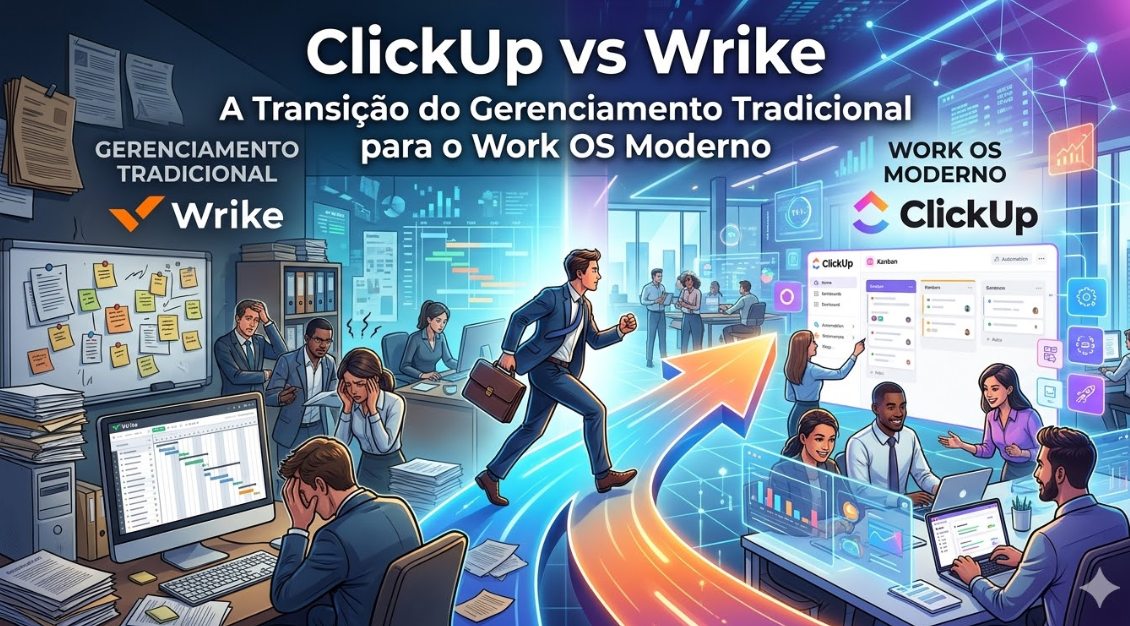
Wrike has been a solid project management platform for many years. But the landscape is shifting. New tools like ClickUp are fundamentally reimagining what a work operating system can be.
This article compares these two platforms head-on and helps you understand which one is right for your organization’s next stage of growth.
Understanding the Evolution
Wrike: The Traditional Project Manager
Wrike is a capable project management tool. It’s been around for years, is trusted by large enterprises, and offers solid features for managing projects, resources, and timelines.
ClickUp: The Modern Work OS
ClickUp is built for the modern, dynamic workplace where work is fluid, collaborative, and requires rapid iteration. It’s not just a project manager—it’s a work operating system.
Feature-by-Feature Comparison
Project Views
Wrike:
– List, board, timeline, calendar, table views
– Good coverage of standard views
– Functional but not exceptional
ClickUp:
– 15+ views including list, board, calendar, timeline, Gantt, workload, capacity, and more
– Extensive flexibility
– Can customize views per team
Verdict: ClickUp. Far more view options.
Customization
Wrike:
– Some customization available
– Custom fields, project templates
– Adequate for most use cases
– Less flexible than ClickUp
ClickUp:
– Extreme customization
– Custom fields with conditional logic
– Custom workflows and automation
– Build the system to match your process
Verdict: ClickUp. Significantly more customizable.
Automation Capabilities
Wrike:
– Basic automation rules
– Limited to simple workflows
– Dependent on integrations for complex automation
ClickUp:
– Native automation engine
– Complex, multi-step automations
– Conditional logic and branching
– Reduces manual work significantly
Verdict: ClickUp. Much more powerful automation.
Time Tracking
Wrike:
– Time tracking available
– Integrates with timekeeping tools
– Adequate for most teams
ClickUp:
– Native time tracking built into tasks
– Timer, manual entry, and integration options
– Detailed reports on time spent
– Works seamlessly within the platform
Verdict: ClickUp. Better integrated into the workflow.
Resource Management
Wrike:
– Resource planning tools
– Capacity planning
– Team workload visualization
ClickUp:
– Workload view showing team capacity
– Resource allocation visualization
– Burndown and velocity charts
– More granular resource visibility
Verdict: ClickUp. More advanced resource management.
Portfolio Management
Wrike:
– Portfolio view for multi-project oversight
– Program management features
– Good for large enterprises
ClickUp:
– Hierarchy of spaces, folders, and lists
– Can organize at multiple levels
– Dashboard functionality for overview
– Flexible portfolio structure
Verdict: Tie. Both offer portfolio-level management, but approach it differently.
Reporting
Wrike:
– Standard reporting capabilities
– Project status reports
– Resource utilization reports
ClickUp:
– Advanced dashboards with customizable widgets
– Detailed reporting on productivity, time, and status
– More flexible reporting options
Verdict: ClickUp. More powerful reporting.
Integration Ecosystem
Wrike:
– Good integration options
– Works with major platforms
– API available for custom integrations
ClickUp:
– Extensive integration ecosystem
– Native integrations with more platforms
– Powerful API
– Webhook support for advanced automations
Verdict: ClickUp. Broader integration ecosystem.
User Experience
Wrike:
– Clean, professional interface
– Familiar to users of traditional project management tools
– Moderate learning curve
– Solid UX
ClickUp:
– Modern, intuitive interface
– Faster to get started
– More depth to explore
– UX continues to improve with each update
Verdict: ClickUp. Better modern UX, though both are professional.
Pricing Comparison
Wrike (per user per month):
– Team: $9.80 per user per month
– Business: $24.80 per user per month
– Enterprise: Custom pricing
– Scales with team size
ClickUp (per user per month):
– Unlimited: $7 per user per month (billed annually)
– Business: $12 per user per month
– Enterprise: Custom pricing
– Scales with team size but offers better value
Cost comparison for 20 people:**
– Wrike Team: ~$2,000/month
– ClickUp Unlimited: ~$140/month
ClickUp is significantly cheaper at scale.
When to Choose Wrike
Choose Wrike if:
– You’re an enterprise with complex portfolio management needs
– You want a tool that’s been battle-tested for 10+ years
– Your organization values stability and predictability over cutting-edge features
– You need professional services project management features
– You have significant Wrike investments (training, customization) you don’t want to redo
Example: A large professional services firm managing hundreds of projects might benefit from Wrike’s enterprise features and portfolio management.
When to Choose ClickUp
Choose ClickUp if:
– You’re a growing company (10-500 people)
– You need advanced customization and automation
– You want modern features and frequent updates
– Cost efficiency is important
– You want a platform that adapts to your workflow
– You need powerful work management beyond projects
Example: A 50-person SaaS company managing product development, marketing campaigns, and client services would thrive on ClickUp’s flexibility and automation.
The Transition: From Wrike to ClickUp
If you’re on Wrike but considering ClickUp:
Step 1: Assess Current Usage
Which Wrike features does your team actually use? Which are just “nice to have”?
Step 2: Plan ClickUp Structure
ClickUp’s structure (spaces, folders, lists) differs from Wrike’s. Plan how your projects will map.
Step 3: Pilot Program
Start with one team on ClickUp while keeping Wrike for others.
Step 4: Data Migration
Export projects from Wrike. ClickUp has tools to help with this process.
Step 5: Full Cutover
Once your pilot team is comfortable, migrate other teams.
Migration typically takes 2-4 weeks for a medium organization.
Real-World Example: Growing Tech Company
Situation
A 40-person software company has been using Wrike for 3 years. It works, but:
– It’s expensive (4000/month for 20 users)
– Features feel static (not many updates)
– Automation capabilities are limited
– The team feels constrained by Wrike’s structure
The Transition
They implement ClickUp:
1. Cost drops to ~$600/month for the same 20 users (83% savings)
2. They implement automations that save 10 hours/week
3. New views and customization options eliminate bottlenecks
4. Team velocity increases because context-switching decreases
ROI
– Annual cost savings: ~$41,000
– Productivity gains from automation: ~$20,000
– Total first-year value: ~$61,000
– Implementation cost: ~$5,000
– Net ROI: ~$56,000 in year one
Addressing Common Concerns
“Wrike is more mature”
True, but ClickUp’s rapid evolution means it’s adding features faster than Wrike. It’s not behind—it’s ahead on many dimensions.
“Wrike is better for enterprises”
Wrike has portfolio management for large programs. But ClickUp can handle enterprise-scale projects. For most companies, ClickUp’s flexibility wins.
“Our team is trained on Wrike”
ClickUp is easier to learn than Wrike for most people. Retraining time is typically 1-2 weeks.
“What about data migration?”
Data migration is straightforward. Most companies can migrate 100+ projects in 2-3 days.
Audatia’s Recommendation
At Audatia, we’ve migrated dozens of companies from Wrike to ClickUp. Our consistent finding:
**For companies under 200 people, ClickUp wins on:**
– Cost efficiency
– Feature velocity
– Customization
– Modern UX
– Automation capabilities
**Wrike remains strong for:**
– Very large enterprises with specific portfolio management needs
– Organizations already deeply invested in Wrike
For most organizations, especially those growing or cost-conscious, ClickUp is the superior choice.
The Bottom Line
Wrike served its purpose well—it was the best available option for many years. But ClickUp represents the next generation of work management: more flexible, more powerful, more affordable.
If you’re on Wrike and feeling constrained, ClickUp is likely the answer. If you’re choosing between the two, ClickUp almost always wins unless you have enterprise-scale portfolio management requirements.
Next Steps
1. Try ClickUp’s free plan with one team
2. Compare the actual cost difference
3. Assess how many of Wrike’s enterprise features you truly need
4. Make a decision based on your company’s size and growth trajectory
5. If you choose ClickUp, contact us for migration support
The future of work management is flexible, powerful, and cost-effective. ClickUp is leading that future.