Meetings consume an enormous share of modern work life, yet the value extracted from them is often minimal. Participants sit through an hour-long discussion but walk away with vague notes or nothing at all. Action items are unclear. Decisions are revisited in the next meeting because they weren’t properly documented.
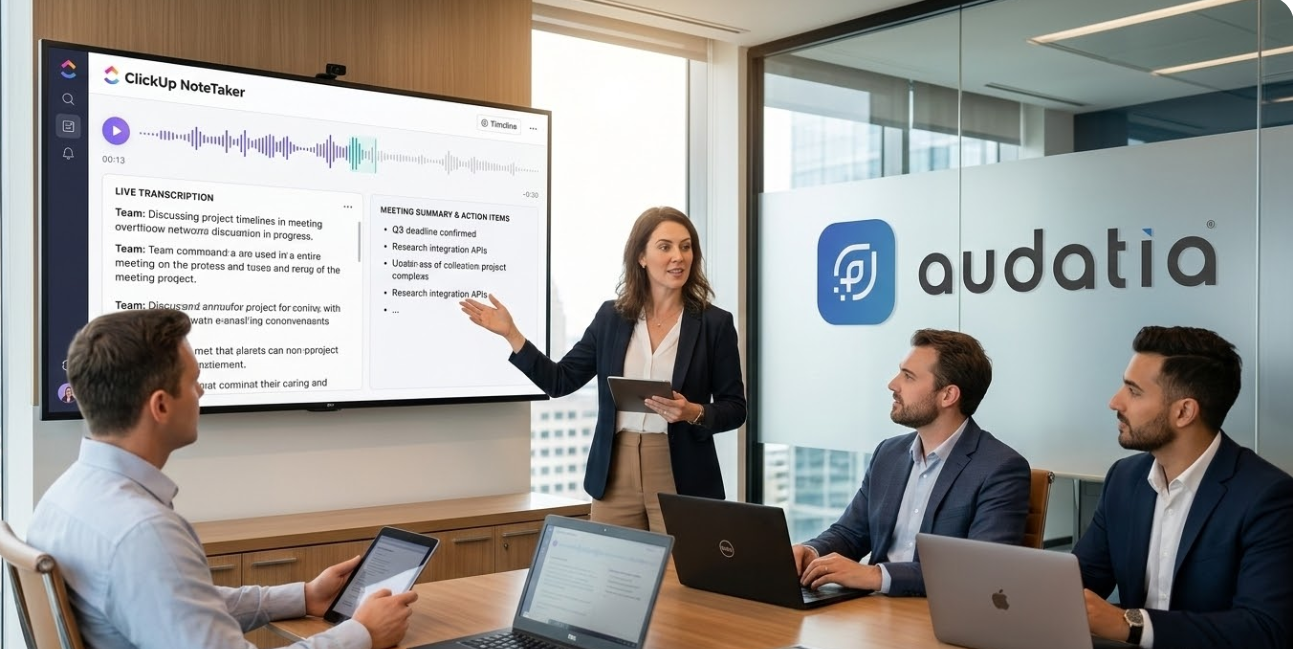
ClickUp NoteTaker solves this. It’s an AI-powered assistant that transcribes your meetings in real time, identifies key decisions and action items, and delivers structured summaries—all automatically.
At Audatia, we see NoteTaker as a game-changer for operational efficiency. The meeting itself doesn’t change, but what happens after dramatically improves.

The Meeting Problem
Time Spent Capturing vs. Listening
Meeting participants face a constant tension: listen actively or take good notes. Trying to do both inevitably results in poor notes and half-hearted listening. Important context is lost.
Async Collaboration Challenges
Team members who couldn’t attend live meetings struggle to understand what was decided. They either ask for a recap (interrupting colleagues) or make assumptions that lead to misalignment.
Action Item Tracking
Decisions and action items discussed verbally during meetings often remain untracked. Without explicit documentation in your project management system, tasks slip through cracks.

What ClickUp NoteTaker Delivers
1. Real-Time Transcription
NoteTaker transcribes your meeting as it happens. No manual transcription required. Not only does this create a searchable record, it allows participants to focus fully on the discussion instead of frantic note-taking.
2. Intelligent Summarization
Instead of pages of transcript, NoteTaker delivers a concise summary: the meeting’s purpose, key decisions made, topics discussed, and identified action items. This is what stakeholders actually need.
3. Automatic Action Item Creation
NoteTaker identifies action items from the conversation and can automatically create ClickUp tasks, assign them to responsible parties, and set due dates. Decisions immediately become actionable.
4. Contextual Integration
Meeting notes link to relevant ClickUp data: the project discussed, related tasks, and associated documents. Context is preserved and accessible.
5. Searchable Archive
All meeting transcripts are indexed and searchable. Years later, you can ask “When did we decide to move the platform from X to Y?” and find the specific meeting where that decision was made.
Real-World Impact Scenarios
Executive Leadership Alignment
Executive teams conduct strategy sessions but often lack clarity on what was actually decided. NoteTaker creates official decision records, eliminating the “I thought we decided X” confusion that plagues many leadership teams.
Client Meetings and Deliverables
When consulting teams meet with clients, automatic transcription ensures that nothing said in the meeting is lost. Client requirements, constraints, and expectations are documented for the entire project team.
Asynchronous Team Collaboration
For distributed teams across time zones, automatic meeting summaries allow those who couldn’t attend to understand what transpired and what’s expected of them.
Continuous Improvement and Root Cause Analysis
When issues arise, teams can search meeting archives to understand the context and decisions that led to current situations. This supports learning and prevents repeated mistakes.
Best Practices for NoteTaker Implementation
- Establish Meeting Hygiene: Set clear meeting agendas beforehand. NoteTaker works best when meetings have defined purpose and structure.
- Participant Awareness: Inform participants that the meeting is being transcribed and summarized. This ensures they’re comfortable and improves transcription quality.
- Post-Meeting Review: Have the meeting organizer review NoteTaker’s summary and action items before they go live. This ensures accuracy and completeness.
- Link to Projects: Tag meeting notes with relevant project IDs so summaries are accessible to the entire project team.
- Archival and Search: Regularly archive old meeting notes so they’re archived but searchable for future reference.
Comparing NoteTaker to Manual Note-Taking
Manual note-takers inevitably miss important details because they’re focused on transcription, not comprehension. NoteTaker captures everything while freeing participants to engage fully. Additionally, NoteTaker’s summarization is consistent and structured—every meeting summary follows the same format, making them easier to parse and act upon.
Measuring NoteTaker ROI
Consider the time savings:
– Average meeting: 1 hour
– Post-meeting admin (manual notes, action item tracking): 30 minutes
– NoteTaker automation: 5 minutes
– Savings per meeting: 25 minutes
For an organization conducting 500 meetings per month:
– Total savings: 208 hours per month
– Annual productivity recovery: 2,500 hours
– At $50/hour fully-loaded cost: $125,000 per year
These are conservative estimates. Many organizations see even greater value through reduced decision rework and improved cross-team alignment.
Implementation with Audatia
Audatia helps organizations deploy ClickUp NoteTaker as part of our operational maturity initiatives. We ensure proper setup, team training, and integration with your existing workflows.
If your organization conducts numerous meetings but struggles with capturing decisions and executing action items, NoteTaker is a transformative tool. Let’s discuss how to implement it for your team.