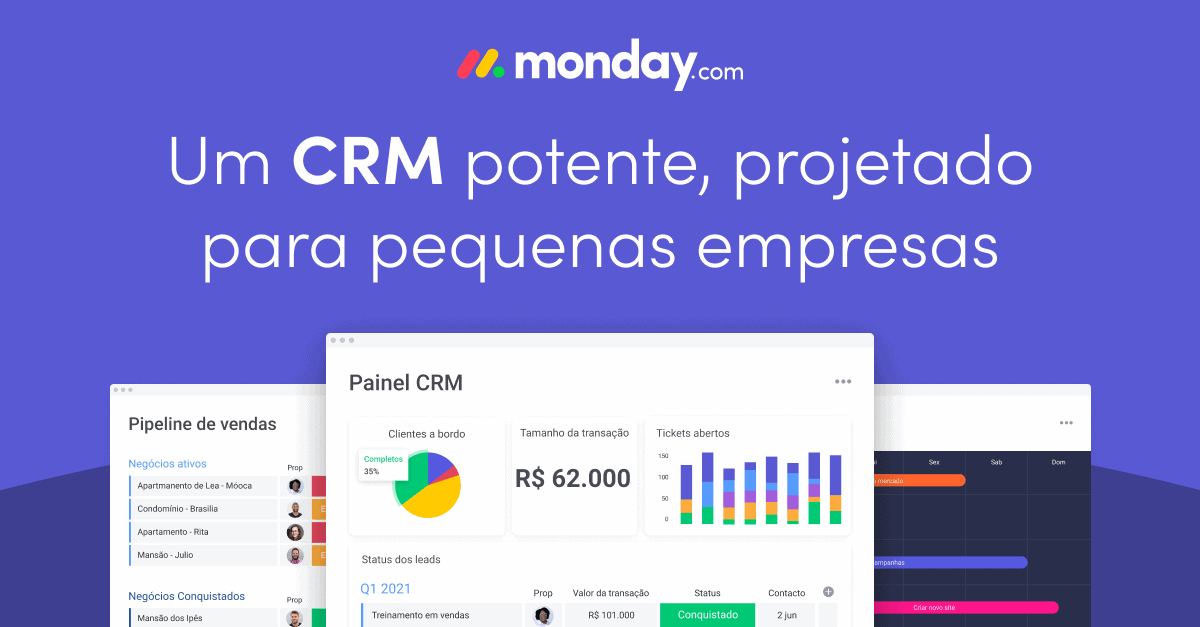
Recognized for its project management functions, monday.com also has excellent features as a CRM tool. I will help you in this article to understand monday.com’s CRM functionalities and how to use them.
It works surprisingly well as CRM software – it’s not just a project management platform that was awkwardly repurposed for this function. If you need support from a monday.com expert to implement CRM in your business, contact Audatia.
What Makes monday.com Work as a CRM?
A good CRM system needs:
- Lead and contact database
- Sales pipeline visibility
- Deal tracking and forecasting
- Activity history and timeline
- Integration with email and communication tools
- Reporting and analytics
monday.com delivers all of this natively, and here’s how:
Setting Up Your CRM Board in monday.com
1. Create a Contacts Base
Start with a board to manage all your leads and customers. Use columns for:
- Contact name
- Company name
- Email and phone
- Location
- Industry
- Customer value (high, medium, low)
2. Build Your Sales Pipeline
Create a separate board with deal tracking, using a Status column to represent pipeline stages:
- Prospecting
- Initial Contact
- Proposal
- Negotiation
- Closed-Won
- Closed-Lost
3. Link Contacts to Deals
Use monday.com’s linking feature to connect contacts to opportunities, creating a complete relationship view.
4. Track Activities
Add a timeline view to record:
- Call logs
- Email correspondence
- Meeting notes
- Follow-up tasks
CRM Automation in monday.com
Use monday.com’s automation to:
- Auto-update deal status based on email activity
- Create follow-up tasks when deals move to a new stage
- Send notifications for high-value opportunities
- Generate reports on sales pipeline health
- Alert the team when leads have been inactive for 30 days
Integration with Your Tech Stack
Connect monday.com to your existing tools:
- Gmail/Outlook: Embed emails directly in deals
- Zapier/n8n: Create powerful workflows across platforms
- HubSpot: Two-way sync of contacts and deals
- Slack: Get real-time notifications on deal progress
- Stripe/PayPal: Link payments to customer records
Reporting and Analytics
monday.com’s dashboard feature lets you build custom CRM reports:
- Sales pipeline value by rep
- Conversion rates by stage
- Average deal cycle time
- Revenue forecast
- Win/loss analysis
Why monday.com Wins Over Traditional CRM
- Better UX: More intuitive than Salesforce for smaller teams
- Lower cost: Competitive pricing without enterprise bloat
- Flexibility: Customize without coding
- All-in-one: Manage projects AND sales in one platform
- Faster implementation: Get up and running in days, not months
When to Use monday.com as CRM
✓ Your team size is under 100 people
✓ You want simplicity over extensive customization
✓ You need CRM + project management in one tool
✓ You prefer visual, intuitive interfaces
✓ You’re budget-conscious but want enterprise features
✗ Don’t use if you need advanced B2C marketing automation
✗ Don’t use if you require complex forecasting models
✗ Don’t use if your sales cycles span 6+ months with many stakeholders
Conclusion
monday.com’s flexibility makes it an excellent CRM for growing businesses that don’t need traditional CRM complexity. With proper configuration and automation, you’ll have a modern, visual, and effective sales management system.
Ready to implement monday.com as your CRM? Contact the Audatia team for implementation guidance and best practices.